

Description
Create Music with Player Piano
Overview
Player Piano is a lightweight desktop application designed for music creation and playback, enabling users to compose simple melodies directly through text input. By typing note sequences into a text field, users can instantly hear their compositions played on a virtual piano interface. The software supports simultaneous note playback using bracket notation, such as [adg], allowing for basic chord creation. A dedicated play button triggers playback, while adjustable timing controls let users fine-tune the pause duration between notes—lower values increase playback speed. This tool is ideal for composers, music students, and hobbyists exploring rudimentary music notation and sequencing. It offers a minimalistic approach to music composition, focusing on simplicity and immediate feedback. The developer, ButtonBass, has crafted a tool that prioritizes accessibility and ease of use, making it suitable for beginners or those seeking a no-frills method to experiment with musical ideas. Real-world usage scenarios include quick idea sketching, teaching fundamental concepts of rhythm and pitch, or creating simple backing tracks for personal projects.
Key Features & Capabilities
- Text-based music input – Users type note sequences directly into a text field, eliminating the need for complex interfaces or MIDI keyboards.
- Chord support via bracket notation – Notes enclosed in square brackets, such as
[adg], are played simultaneously, enabling basic chord construction. - Adjustable playback timing – The pause duration between notes can be modified by editing the default value of 300 milliseconds or using dedicated plus/minus buttons.
- Real-time playback – Pressing the play button immediately renders the entered sequence on a visual piano keyboard interface.
- Simple workflow for rapid prototyping – Ideal for quickly testing musical ideas without the overhead of traditional DAWs or notation software.
These features allow users to experiment with rhythm, pitch, and harmony in a streamlined environment. For example, a music student might use the tool to practice writing simple melodies and chords, while a composer could sketch out a motif during brainstorming. The ability to adjust timing manually gives control over pacing, which is useful for aligning sequences with specific tempos. The software’s focus on text-based input makes it accessible to users unfamiliar with traditional music notation or digital audio workstations.
User Interface, Workflow & Performance
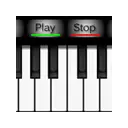
The user interface is minimal and centered around a text input field and a visual piano keyboard. Navigation is straightforward: users type their sequence, adjust timing if needed, and press play. The layout emphasizes clarity and function over visual embellishment, reducing distractions during composition. Workflow efficiency is high for its intended use case—entering a sequence and hearing it play back within seconds. The application responds promptly to user input, with playback starting immediately after the play button is activated. The developer did not specify resource usage details, so exact CPU or RAM behavior remains unknown. However, given the software’s small size of 2.1 MB and its non-complex functionality, it is expected to operate efficiently on modern systems. Stability is assumed to be consistent, as no reported issues were mentioned. No performance benchmarks were provided, but general software behavior suggests smooth operation under normal conditions.
Compatibility & System Requirements
Player Piano is compatible with Windows, Mac, and Linux operating systems, making it accessible across major desktop platforms. The software version is 1.0, with a file size of 2.1 MB, indicating a lightweight installation. The developer did not provide additional system requirements, so exact hardware specifications such as processor speed, RAM, or graphics capabilities remain unspecified. Compatibility information was partially provided, but users should ensure their system supports the underlying runtime environment required for execution. No dependencies were mentioned, suggesting a standalone or self-contained deployment. The application does not require administrative privileges for installation, which enhances accessibility for users with limited system access.
Pros and Cons
Pros
- Simple, intuitive interface for quick music creation
- Free to use with no licensing restrictions
- Supports chord notation using bracket syntax
- Lightweight at just 2.1 MB
- Runs on Windows, Mac, and Linux
Cons
- Limited to basic note and timing controls
- No support for saving or exporting compositions
- Minimal visual feedback beyond the piano keys
- No advanced features like tempo mapping or instrument selection
- Developer did not provide detailed documentation or tutorials
FAQ Section
Is Player Piano compatible with my operating system?
Yes, Player Piano supports Windows, Mac, and Linux, allowing users across major desktop platforms to run the application.
Can I save or export my compositions?
The software does not include built-in functionality for saving or exporting compositions. Users must manually record or transcribe their sequences if they wish to preserve them.
Is Player Piano safe to download and use?
As a free desktop application developed by ButtonBass, Player Piano appears to be safe for use. No security warnings or malicious behavior were reported. It is recommended to download from official sources to ensure integrity.
Does Player Piano require an internet connection?
Based on available information, Player Piano operates as a standalone application and does not require an internet connection for core functionality.
How do I update Player Piano?
Updates are not currently documented. Users should check the developer’s official website or feedback section for new versions or patches.
Final Thoughts
Player Piano delivers a focused, no-frills solution for creating and hearing simple musical sequences through text input. Its minimalist design and immediate playback make it a valuable tool for music learners, educators, and casual creators seeking a distraction-free environment. While it lacks advanced features like file saving, tempo control, or instrument variation, its core purpose is executed efficiently. The free pricing model and cross-platform availability further enhance its appeal. For users who need a quick way to test melodies or teach basic music concepts, Player Piano offers a practical and accessible experience. Despite its limitations, it stands out as a lightweight, functional tool in the music software space. Download Player Piano now.
Guides & Tutorials for ButtonBass Player Piano App for Chrome
How to install ButtonBass Player Piano App for Chrome
- Click the Preview / Download button above.
- Once redirected, accept the terms and click Install.
- Wait for the ButtonBass Player Piano App for Chrome download to finish on your device.
How to use ButtonBass Player Piano App for Chrome
This software is primarily used for its core features described above. Open the app after installation to explore its capabilities.
User Reviews for ButtonBass Player Piano App for Chrome 0
No reviews found





